Imagine capturing the exhilarating thrill of your nighttime rides with crystal-clear clarity. With the right bike camera and its night mode feature, you can unlock a whole new world of adventure after dark.
Have you ever tried to capture that perfect moment during a night ride, only to end up with blurry or grainy footage? You’re not alone. That’s where night mode comes in to save the day—or rather, the night. This article is your guide to mastering the art of using your bike camera’s night mode.
Whether you’re a seasoned cyclist or new to night riding, learning how to use this feature will transform your experience. You’ll not only preserve those unforgettable moments but also ensure your safety with enhanced visibility. Let’s dive into how you can make the most of your bike camera’s night mode and keep the excitement alive when the sun goes down.
Importance Of Night Mode
Night modein a bike camera is very useful. It helps you see better at night. This is important for safety. The camera captures more details in the dark. You can see cars, people, and signs. The video qualityimproves with night mode. It reduces glare from lights. The images are clearer and brighter.
Using night mode saves battery life. The camera uses less power. It also keeps the memory card from filling up fast. You record only what you need. Night mode is easy to use. Most cameras have a simple button for it. Always check your camera settings. Make sure night mode is on. This feature is very helpful for night rides.
Choosing The Right Bike Camera
Bike cameras should have night modehigh resolutionoptions for detailed images. Waterproofcameras are great for rainy days. Wide-angle lensescapture more of the road. Check for long battery lifeto record longer rides. Easy mounting helps with quick setup.
| Brand | Model | Special Feature |
|---|---|---|
| GoPro | Hero9 | Ultra HD Night Mode |
| Garmin | Virb Ultra | Waterproof Design |
| Yi | Action Cam | Wide-angle Lens |
Setting Up Your Camera
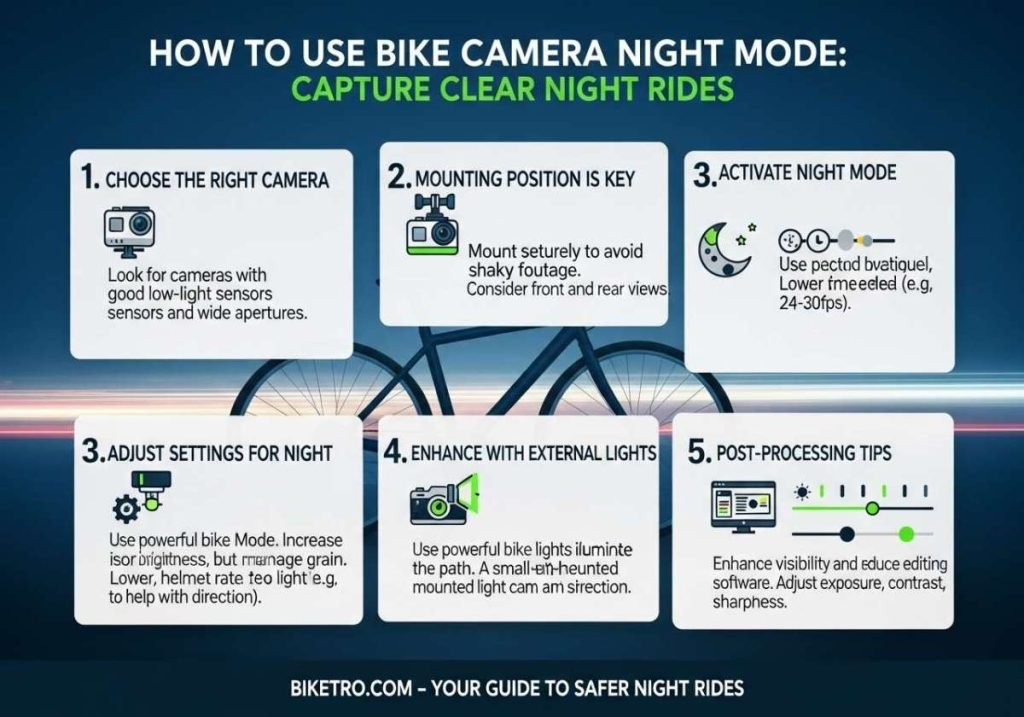
Choose a strong mount for your bike camera. Make sure it’s tight and secure. This prevents shaky videos and keeps the camera safe. Test the mount before riding. Try different positions on the bike for the best view. Ensure the mount doesn’t block your screen or buttons. Use a mount that allows easy removal when needed. Adjustable mounts are helpful for quick changes.
Find the right angle for clear night shots. Tilt the camera up slightly for a wider view. Avoid pointing directly at bright lights. This helps reduce glare in videos. Experiment with angles to find the best view. Check the footage after a short test ride. Adjust as needed for clear images.
Activating Night Mode
Activating Night Mode on your bike camera enhances visibility in low-light conditions. Access the camera settings menu to find Night Mode. Select it to capture clearer images during night rides.
Step-by-step Guide
Locate the settingson your bike camera. Open the menu and find the night modeoption. Tap to activate it. A small moon icon usually shows night mode is on. Adjust the brightness to suit the environment. Ensure your camera has enough batterypower for night recording.
Common Issues And Fixes
- Blurry images:Clean the camera lens properly.
- Low battery:Charge the camera before using night mode.
- Settings not saved:Double-check the settings after activation.
- Dim video:Increase the brightness settings.
Ensure firmware is up-to-date for best performance.
Optimizing Camera Settings
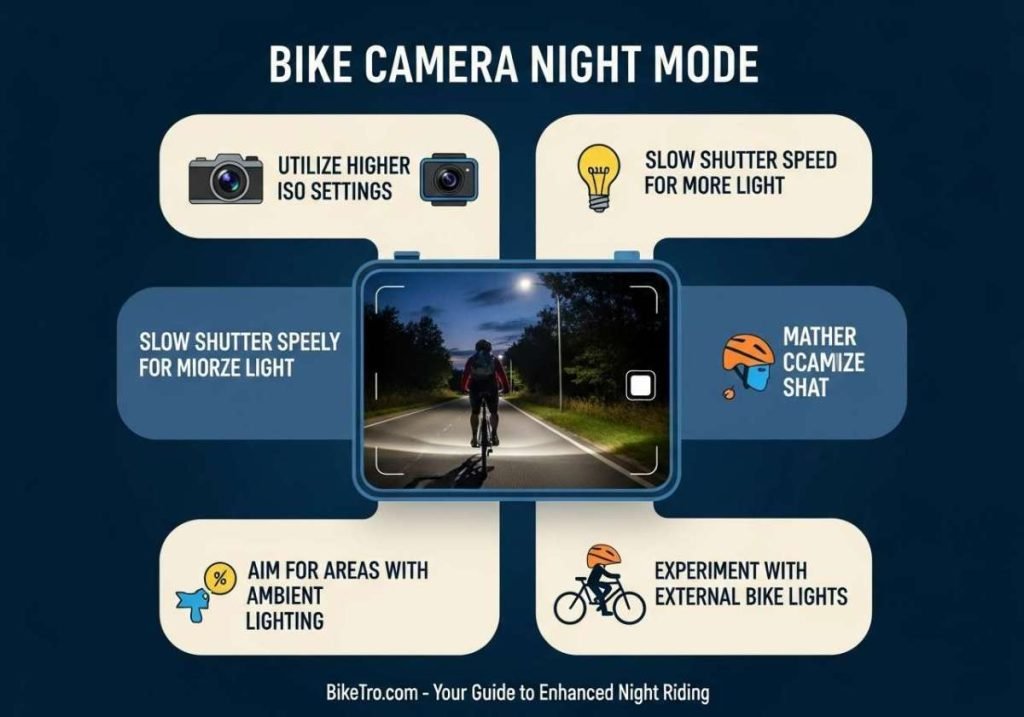
Adjust the bike camera’s night mode settings for clear footage in low light. Increase ISO for brightness, but be cautious of noise. Set shutter speed to capture details while minimizing blur.
Resolution And Frame Rate
Choose a lower resolutionfor better night performance. Higher resolution can cause grainy images. A frame rate of 30 FPS works well at night. This helps capture more light. Ensure your camera supports night mode settings. Adjust settings for clearer images.
Exposure And Iso Adjustments
Lower the ISOsettings for less noise. High ISO can make images grainy. Increase exposure to let more light in. Be careful not to overexpose. Adjust until you see clear details. Check your camera’s settings for best results. Experiment to find what works best.
Enhancing Night Footage
Bike cameras need extra light at night. Bright lights help capture clear videos. Use a small, bright torch on the bike. Attach it safely so it doesn’t fall. Some bikers use helmet lights. These lights turn with your head. This helps spot obstacles ahead. Choose lights that are easy to charge. This ensures they are ready for each ride.
Editing helps improve night footage. Use software to adjust brightness. Increase contrast for better clarity. Reduce noise for smoother videos. Some apps have filters to enhance colors. Try different settings to find what works best. Keep original files safe before editing. You might need them later. Short videos are easier to edit. Practice makes perfect in editing.
Safety Tips For Night Rides
Bike cameras with night mode enhance visibility in low-light conditions. Ensure the camera is securely mounted and check settings for optimal clarity. Regularly clean the lens for clear footage, and test the night mode before riding to ensure functionality.
Visibility Enhancements
Bright lightshelp cars see you at night. Use a good headlight. Reflectors on your bike make you more visible. Wear a vest that glows in the dark. Choose clothes with reflective strips. Keep your bike clean for better light reflection.
Essential Gear
- Helmet:Always wear a helmet for safety.
- Gloves:Protect your hands from cold and falls.
- Elbow and Knee Pads:Keep your joints safe.
- Sturdy Shoes:Wear shoes that grip the pedals well.
Sharing Your Night Rides
Capture your night rides beautifully using the bike camera’s night mode. Adjust settings for low light and ensure steady shots. Share your adventures with friends, showcasing the magic of night cycling.
Social Media Platforms
Capture your night ride with a bike camera. Use night mode for clear images. Share these moments on social media. Choose platforms like Instagram or Facebook. Add a short caption. Tell a story about your ride. Use simple words. Share your feelings. Connect with your friends. They will enjoy seeing your adventure.
Editing For Engagement
Edit your video for better engagement. Trim unwanted parts. Keep the video short. Brighten the night footage. Use editing tools like iMovie or Adobe Premiere. Add music to make it fun. Choose sounds that match your ride’s mood. Use text overlays sparingly. Highlight key moments. This keeps viewers interested.
Frequently Asked Questions
How To Activate Camera Night Mode?
Open the camera app, find the night mode icon, and tap it to activate. Adjust settings if needed.
When To Use Night Mode On Camera?
Use night mode in low-light conditions to enhance photo brightness and detail. Capture clearer images during nighttime, indoors, or at dusk. Night mode helps reduce noise and improves overall image quality. Ideal for shooting cityscapes, starry skies, or dimly lit environments.
How To Use A Camera At Night?
Use a tripod to stabilize your camera for night shots. Increase ISO for better sensitivity in low light. Use a wide aperture to allow more light. Adjust shutter speed to capture more light and detail. Utilize manual focus for sharper images in dark settings.
How To Use Night Mode On Gopro?
Activate night mode on your GoPro by accessing settings. Navigate to ‘Protune’ and select ‘Night Photo’ or ‘Night Lapse’. Adjust ISO and shutter speed for optimal low-light capture. Ensure your camera is stable to prevent blurs. Experiment with settings for desired results.
Conclusion
Bike camera night mode enhances your nighttime rides. It captures clear images in low light. You stay safe and aware of surroundings. Simple settings make night mode easy to use. Just follow the tips shared. Practice using it on evening rides.
Enjoy better visibility and improved safety. Night mode technology keeps evolving. Keep exploring new updates and features. Always prioritize safety during night rides. Be mindful of battery life. Carry extra batteries if needed. Night rides can be thrilling. Capture those moments with your bike camera.
Enjoy every journey, day or night!