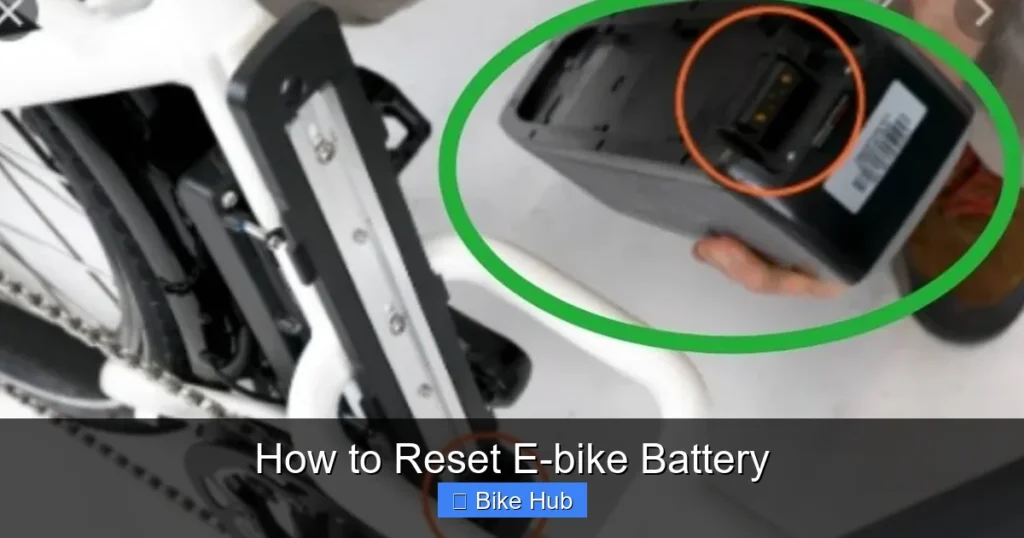
Resetting your e-bike battery can restore performance, fix charging issues, and extend its lifespan. This guide walks you through simple, safe steps to reset your battery and get back on the road quickly.
Key Takeaways
- Understand why resetting helps: A reset can clear error codes, recalibrate the battery management system (BMS), and improve charging accuracy.
- Always power off first: Turn off the e-bike and disconnect the battery before starting any reset procedure.
- Use the correct method for your model: Reset steps vary by brand—check your manual or manufacturer’s website for specifics.
- Fully charge after resetting: After a reset, charge the battery to 100% to ensure proper calibration.
- Monitor performance post-reset: Watch for improved range, consistent power delivery, and normal charging behavior.
- When to seek professional help: If problems persist after a reset, the battery may need repair or replacement.
- Prevent future issues: Regular maintenance, proper storage, and avoiding deep discharges help avoid the need for frequent resets.
How to Reset E-bike Battery: A Complete Step-by-Step Guide
If your e-bike is acting up—slow charging, sudden power cuts, or the display showing error codes—it might be time to reset the battery. Resetting your e-bike battery is a simple yet powerful troubleshooting step that can restore normal function and improve performance. Whether you’re a daily commuter or a weekend trail rider, knowing how to reset your battery safely can save you time, money, and frustration.
In this guide, you’ll learn exactly how to reset e-bike battery systems, why it works, and what to do if the problem persists. We’ll cover universal methods that work for most models, plus tips tailored to popular brands like Bosch, Shimano, and Bafang. Let’s get your ride back to full power.
Why Resetting Your E-bike Battery Matters
E-bike batteries are smart devices. They contain a Battery Management System (BMS) that monitors voltage, temperature, and charge cycles. Over time, this system can get confused—especially after deep discharges, extreme temperatures, or software glitches. When that happens, your battery might stop charging, shut off unexpectedly, or show incorrect charge levels.
Visual guide about How to Reset E-bike Battery
Image source: slnbatterypack.com
Resetting the battery tells the BMS to “start fresh.” It clears temporary errors, recalibrates the charge sensor, and often restores normal operation. Think of it like restarting your phone when an app freezes—it’s a quick fix that solves many common issues.
When Should You Reset Your E-bike Battery?
Not every battery issue requires a reset, but here are common signs it’s time to try one:
Visual guide about How to Reset E-bike Battery
Image source: slnbatterypack.com
- The battery won’t charge or charges very slowly
- The display shows error codes (e.g., “Err 10” or “BMS Fault”)
- The bike cuts power mid-ride for no reason
- The charge indicator jumps from full to empty suddenly
- You’ve just replaced the battery or done a major firmware update
If you’ve recently experienced a deep discharge (running the battery down to 0%), a reset can help the BMS relearn the correct charge range. It’s also a good idea after long periods of storage—like over winter—when batteries can develop calibration issues.
Universal Steps to Reset Your E-bike Battery
While reset methods vary slightly by brand, most e-bike batteries follow a similar process. Here’s a safe, step-by-step method that works for many models:
Step 1: Turn Off the E-bike
Start by switching off the bike’s display and power system. Remove the key if your model has one. This ensures no power is flowing during the reset.
Step 2: Disconnect the Battery
Locate the battery—usually under the frame, on the downtube, or in the rear rack. Press the release button (if present) and gently remove it from the bike. Some batteries slide out; others lift straight up. Be careful not to force it.
Step 3: Wait 5–10 Minutes
This is crucial. Let the battery sit disconnected for at least 5 minutes—10 is better. This allows the BMS to fully power down and reset its internal memory. Think of it as a “hard reboot” for the electronics.
Step 4: Reconnect the Battery
Slide the battery back into place until it clicks securely. Make sure it’s fully seated and locked. Reinsert the key if needed.
Step 5: Turn On the Bike
Power on the display. Wait a few seconds for the system to boot up. Check if the error is gone and the battery shows a normal charge level.
Step 6: Charge to 100%
Plug in the charger and let the battery charge fully. This helps the BMS recalibrate and ensures accurate readings. Avoid interrupting the charge cycle.
After completing these steps, take a short test ride. If the bike performs normally, the reset worked!
Brand-Specific Reset Methods
Some e-bike brands have unique reset procedures. Here’s how to reset e-bike battery systems for popular manufacturers:
Bosch E-bike Systems
Bosch batteries often require a specific sequence:
- Turn off the bike and remove the battery.
- Press and hold the power button on the battery for 10 seconds.
- Reinsert the battery and turn on the display.
- If the issue persists, use the Bosch eBike Flow app to check for firmware updates or perform a system reset.
Shimano Steps
For Shimano-powered bikes:
- Power off the bike.
- Remove the battery and wait 10 minutes.
- Reconnect and turn on the system.
- If problems continue, check the Shimano E-Tube app for diagnostics and updates.
Bafang Motors
Bafang systems may need a controller reset:
- Turn off the bike.
- Disconnect the battery and wait 5 minutes.
- Reconnect and power on.
- Some models allow a reset via the display menu—check your manual.
Always consult your user manual or the manufacturer’s website for model-specific instructions. When in doubt, contact customer support.
Troubleshooting Common Reset Issues
Sometimes, a reset doesn’t fix the problem. Here’s what to do next:
Battery Still Won’t Charge
Check the charger and charging port. Try a different outlet or charger if possible. If the battery gets warm during charging, stop immediately—it could be a safety issue. For more on safe charging practices, see our guide on how to charge bike camera battery—the principles of safe charging apply to all lithium-ion batteries.
Error Codes Keep Returning
Persistent errors may indicate a hardware fault. The BMS, cells, or wiring could be damaged. Avoid using the battery if it swells, leaks, or overheats. Consider professional inspection.
Battery Drains Too Fast
If range drops after a reset, the battery may be aging. Lithium-ion batteries lose capacity over time. A reset can’t reverse physical wear. For tips on extending battery life, check out our article on how to store a recumbent bike—many storage tips apply to e-bike batteries too, like keeping them at 50–70% charge during long storage.
Display Shows Incorrect Charge
This is often a calibration issue. Fully charge the battery, then ride until it cuts out. Repeat this cycle 2–3 times to help the BMS relearn the true capacity.
Tips to Prevent Future Battery Problems
Prevention is better than resetting. Follow these best practices to keep your e-bike battery healthy:
- Avoid deep discharges: Recharge when the battery hits 20–30%. Never run it to 0% regularly.
- Store properly: Keep the battery indoors in a cool, dry place. Avoid extreme heat or cold.
- Use the right charger: Only use the charger that came with your bike or one approved by the manufacturer.
- Clean the contacts: Wipe battery and bike terminals with a dry cloth to prevent corrosion.
- Update firmware: Check for software updates through your bike’s app or dealer.
For example, if you’re preparing for a long ride, make sure your battery is fully charged and the system is functioning well. Our guide on how to prepare a mountain bike for long rides includes battery checks as part of pre-ride maintenance—great advice for any e-bike rider.
When to Replace Your E-bike Battery
Even with resets and care, batteries don’t last forever. Most e-bike batteries last 500–1,000 charge cycles, or 3–5 years with regular use. Signs it’s time for a replacement include:
- Range drops by 30% or more
- Battery swells or feels hot
- Charging takes much longer than usual
- Frequent resets don’t help
If you’re near the end of your battery’s life, consider upgrading to a higher-capacity model for better range and performance.
Conclusion
Resetting your e-bike battery is a simple, effective way to fix many common issues. By following the steps in this guide, you can restore performance, improve charging accuracy, and extend your battery’s lifespan. Remember to always power off, disconnect safely, and allow time for the system to reset.
If problems persist, don’t hesitate to contact your dealer or manufacturer. And for ongoing care, adopt habits like proper storage, regular charging, and firmware updates. With a little attention, your e-bike battery will keep you riding strong for years to come.