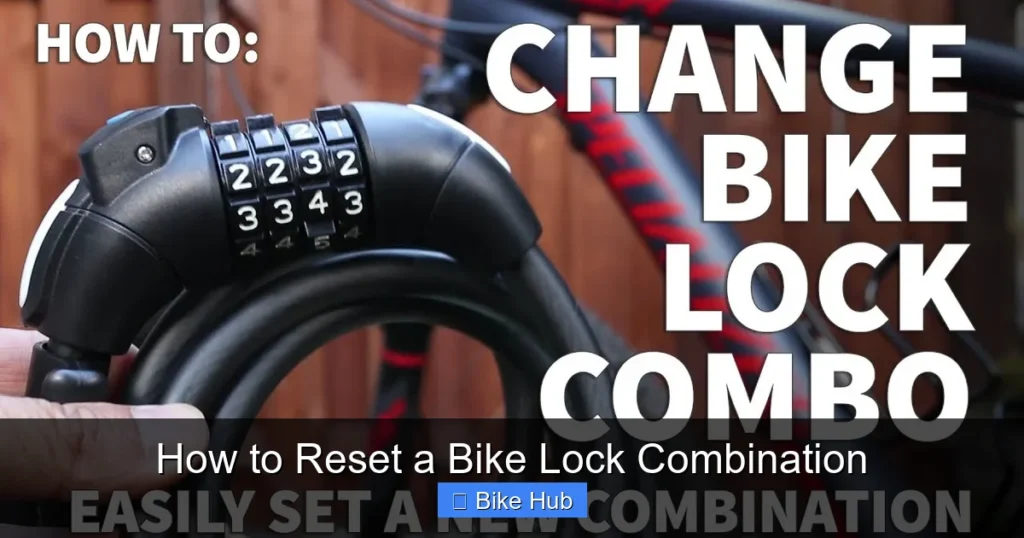
Resetting your bike lock combination is easier than you think—if you follow the right steps. Whether you’ve forgotten your code or want to boost security, this guide walks you through the process for most common lock types with clear, practical instructions.
Key Takeaways
- Know your lock type: Reset methods vary between combination dial locks, resettable cable locks, and keyed models with combo override.
- Use the current combination first: Most locks require the existing code to be entered before allowing a reset.
- Follow manufacturer instructions: Always check the user manual or brand website for model-specific steps.
- Keep your new code secure: Write it down and store it safely—don’t rely solely on memory.
- Test the new combination immediately: Ensure the lock opens and closes properly after resetting.
- Avoid forcing the mechanism: Forcing can damage internal components and permanently lock you out.
- Update your combo regularly: For added security, consider changing your combination every few months.
Quick Answers to Common Questions
Can I reset my bike lock without the current combination?
In most cases, no—you need the existing code to initiate a reset. Some smart locks may offer app-based recovery, but mechanical locks typically require the current combo.
How often should I change my bike lock combination?
For optimal security, consider changing it every 3 to 6 months, especially if you frequently park in high-theft areas.
What if my lock doesn’t have a reset button?
Not all locks are resettable. Check the manufacturer’s website or packaging. If it’s not designed for resetting, you’ll need to replace it to change the code.
Can I use the same combination on multiple locks?
Technically yes, but it’s not recommended. If one lock is compromised, all locks with that code are at risk.
Is it safe to reset my lock in public?
It’s better to do it at home. Resetting in public may draw attention, and someone could observe your new code.
📑 Table of Contents
- Why Resetting Your Bike Lock Combination Matters
- Understanding Different Types of Bike Locks
- Step-by-Step Guide: How to Reset a Bike Lock Combination
- Troubleshooting Common Reset Issues
- Tips for Choosing and Remembering a Secure Combination
- When to Replace Your Lock Instead of Resetting
- Final Thoughts: Stay Safe and Stay Prepared
Why Resetting Your Bike Lock Combination Matters
Your bike lock is one of the most important tools for protecting your investment. Whether you ride a city commuter, a mountain bike, or a high-end road model, a reliable lock keeps thieves at bay. But what happens when you forget your combination—or worse, suspect someone else knows it? That’s when knowing how to reset a bike lock combination becomes essential.
Resetting your lock isn’t just about convenience—it’s about security. If you’ve bought a used lock, borrowed one from a friend, or simply want to change your code for peace of mind, resetting ensures only you have access. Plus, it’s a simple process once you understand the mechanics behind different lock types. In this guide, we’ll walk you through the steps to reset the most common kinds of bike locks, troubleshoot common issues, and share pro tips to keep your bike safe.
Understanding Different Types of Bike Locks
Before diving into the reset process, it’s important to identify what kind of lock you have. Not all bike locks are created equal, and the method for resetting a combination varies significantly depending on the design.
Combination Dial Locks
These are the classic wheel-based locks with numbered dials (usually 3 to 5 digits). You rotate each dial to align your code, then pull the shackle to open. Most of these locks allow you to reset the combination using the current code. Popular brands like Kryptonite and Master Lock offer models with this feature.
Resettable Cable or Coil Locks
These flexible locks often come with a push-button or twist mechanism. They’re lightweight and great for quick stops, but some models let you set your own code. Resetting usually involves entering the current combo, pressing a small button, and dialing in a new sequence.
Keyed Locks with Combination Override
Some high-security locks use a key but also have a backup combination. In rare cases, you can reset the combo portion even if you’ve lost the key—though this often requires special tools or contacting the manufacturer.
Smart Locks with Digital Keypads
Newer tech-savvy locks use Bluetooth or PIN codes via a digital interface. These typically have an app or onboard menu for resetting combinations. While convenient, they rely on batteries, so always have a backup plan.
Step-by-Step Guide: How to Reset a Bike Lock Combination
Now that you know your lock type, let’s get into the nitty-gritty. Below are detailed steps for resetting the most common bike lock combinations. Always work in a well-lit area and take your time—rushing can lead to mistakes.
Resetting a Standard 4-Digit Dial Lock
This is one of the most common types. Here’s how to reset it:
- Open the lock: Use your current combination to unlock it. If you’ve forgotten it, see the troubleshooting section below.
- Locate the reset lever or button: On the side or back of the lock, there’s usually a small switch or slider. It may be labeled “R” or “Reset.”
- Engage the reset mechanism: While the lock is open, push or slide the reset lever to the “reset” position. You’ll often hear a click.
- Set your new combination: Turn the dials to your desired new code. Choose something memorable but not obvious (avoid 1234 or your birthday).
- Disengage the reset lever: Return the lever to its original position. This locks in your new code.
- Test the new combo: Close the shackle and try opening it with your new sequence. If it works, you’re all set!
Pro tip: Write down your new combination and store it in a secure place—like a password manager or a locked drawer. Never leave it taped to your bike!
Resetting a Push-Button Cable Lock
These locks are popular for their flexibility and ease of use. Resetting them is slightly different:
- Unlock the cable: Enter your current combination and pull the cable out fully.
- Find the reset button: Look for a small recessed button near the combination dials. You may need a paperclip or pen to press it.
- Press and hold the reset button: While holding it down, set your new combination on the dials.
- Release the button: Your new code is now programmed.
- Test it: Re-lock the cable and try opening it with the new combo.
Some models require you to press the button before entering the new code—so if it doesn’t work the first time, try reversing the order.
Resetting a Smart Lock with App Control
For Bluetooth-enabled locks like those from Litelok or SkunkLock:
- Open the companion app: Make sure your phone is connected to the lock via Bluetooth.
- Navigate to settings: Look for “Change PIN” or “Reset Combination.”
- Enter current code: You’ll usually need to verify your existing PIN.
- Set a new code: Choose a 4- to 8-digit number and confirm it.
- Sync the lock: The app will send the new code to the lock. Wait for confirmation.
- Test manually: Try entering the new code directly on the lock’s keypad to ensure it works offline.
Always keep your app updated and carry a backup key or code in case your phone dies.
Troubleshooting Common Reset Issues
Even with clear instructions, things don’t always go smoothly. Here’s how to handle the most frequent problems when trying to reset a bike lock combination.
“I Forgot My Current Combination!”
This is the #1 issue people face. Unfortunately, most mechanical locks can’t be reset without the current code. Your options are limited:
- Check for a default code: Some locks come with a factory-set combo (like 0000). Try this first.
- Look for a serial number: Contact the manufacturer with your lock’s serial number. Some brands can provide the original code or reset instructions.
- Use a lock-picking tool (last resort): Only attempt this if you own the lock and have no other option. It can damage the mechanism.
- Cut the lock: If all else fails and the bike is more valuable than the lock, use bolt cutters. Consider it a lesson learned.
“The Reset Lever Won’t Move”
If the reset switch is stuck:
- Make sure the lock is fully open. Some models won’t allow resetting when closed.
- Apply a small amount of lubricant (like WD-40) to the lever. Let it sit for a few minutes before trying again.
- Gently wiggle the lever while pressing—don’t force it. Excessive pressure can break internal components.
“My New Code Doesn’t Work”
If the lock won’t open with your new combination:
- Double-check that you disengaged the reset lever properly. If it’s still in “reset” mode, the lock won’t accept any code.
- Ensure you’re entering the code in the correct order. Some locks are sensitive to timing—turn each dial slowly and precisely.
- Try the old code again. If it still works, the reset may not have taken. Repeat the process carefully.
Tips for Choosing and Remembering a Secure Combination
Once you’ve reset your lock, the next challenge is picking a code you’ll remember—but others won’t guess.
Avoid Common Patterns
Steer clear of sequences like 1234, 0000, or repeating digits (1122). These are the first combos thieves try. Also, avoid personal info like birthdays, anniversaries, or house numbers.
Use a Mnemonic Device
Create a phrase where the number of letters in each word matches your code. For example, “My Dog Runs Fast” = 2-3-4-4. Just make sure it’s not too obvious to others.
Store It Safely
Use a password manager app (like Bitwarden or 1Password) to save your combination. Alternatively, write it down and keep it in a sealed envelope in a secure location—never on your bike or in your wallet.
Change It Periodically
For maximum security, reset your combination every 3–6 months. This reduces the risk of someone observing your code over time.
When to Replace Your Lock Instead of Resetting
While resetting is convenient, sometimes it’s better to invest in a new lock. Consider replacement if:
- The lock is old, rusty, or shows signs of wear.
- You’ve lost both the key and combination with no recovery option.
- The reset mechanism is broken or missing.
- You’re upgrading to a higher-security model (e.g., moving from a cable lock to a U-lock).
Remember: a $50 lock is cheap compared to a $1,000 bike. Don’t skimp on security.
Final Thoughts: Stay Safe and Stay Prepared
Knowing how to reset a bike lock combination is a valuable skill that every cyclist should have. It empowers you to take control of your bike’s security, whether you’re dealing with a forgotten code or upgrading your safety routine. By following the steps in this guide, you can confidently reset most common locks and keep your bike protected.
Always prioritize prevention: lock your bike in well-lit, high-traffic areas, use two locks for high-risk locations, and register your bike with local authorities. And when in doubt, consult your lock’s manual or reach out to the manufacturer. With the right knowledge and habits, you’ll spend less time worrying about theft and more time enjoying the ride.
Frequently Asked Questions
What do I do if I lost both my key and combination?
Contact the manufacturer with your lock’s serial number. Some brands can provide recovery options or replacement instructions. If not, you may need to cut the lock.
Are all bike locks resettable?
No. Only locks specifically designed with a reset function allow you to change the combination. Check your lock’s features before assuming it’s resettable.
Can I reset a U-lock with a combination?
Some U-locks have resettable combinations, but many are key-only. Refer to your model’s manual to confirm.
Why won’t my lock accept the new combination after resetting?
This usually happens if the reset lever wasn’t fully disengaged or the code was entered incorrectly. Repeat the process slowly and double-check each step.
Is it okay to use a simple combination like 1234?
No—simple codes are easy to guess. Choose a random sequence that’s meaningful only to you.
Do smart locks need batteries to reset the combination?
Yes. Most smart locks require battery power to communicate with the app. Always keep spare batteries or a charging cable handy.